AI VOICE DICTATION FOR WINDOWS

Dictate into any app.
Get documentation done faster.

Turn your voice into accurate, punctuated text in Word, Outlook, web forms, and any Windows application. No voice training required.

  • 3x faster than typing. Full paragraphs appear instantly.
  • AI handles punctuation and grammar automatically.
  • Dictate at your cursor in any Windows application.

No credit card required. Installs in 2 minutes. Windows 10/11.

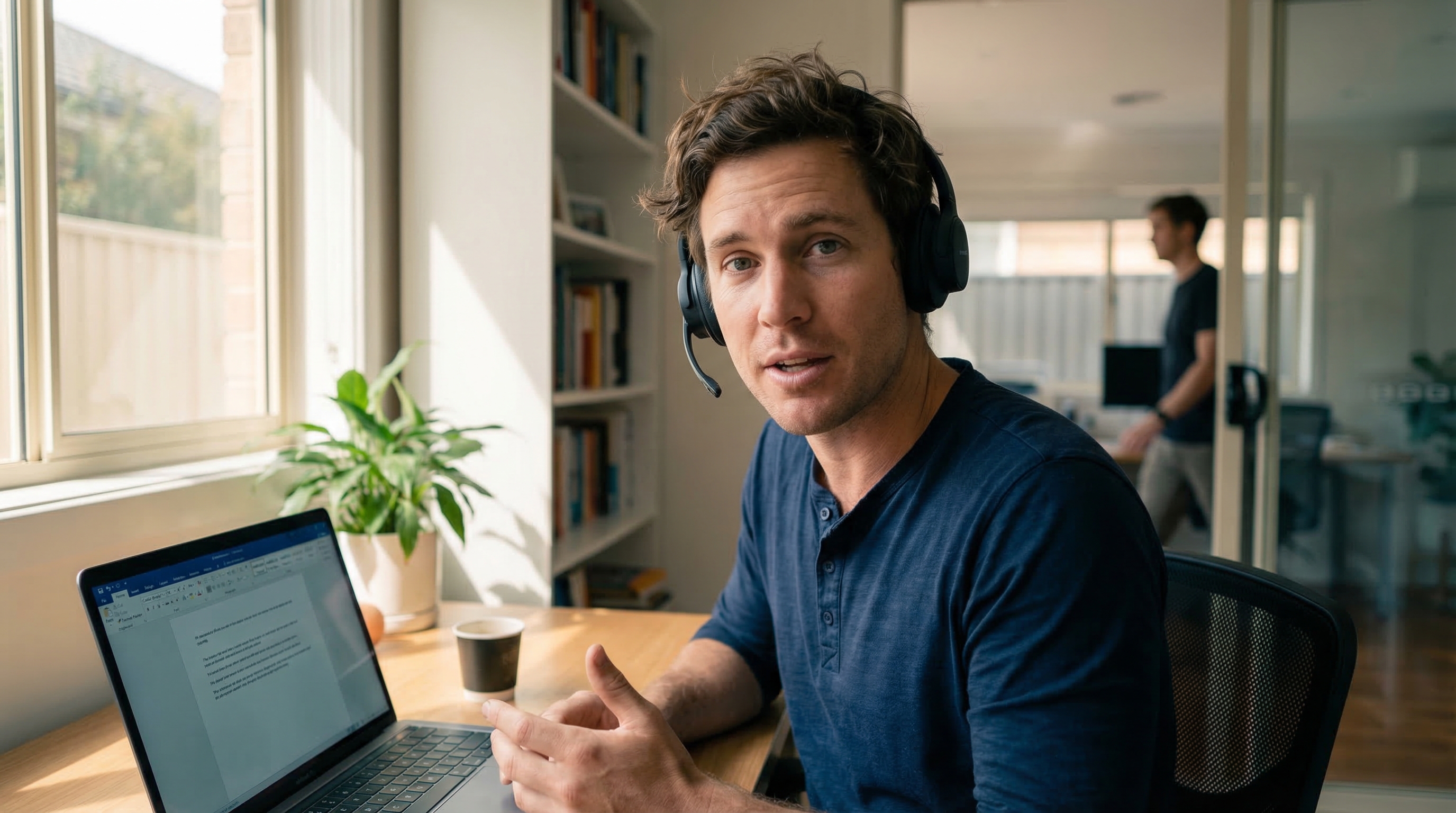
Speech Recognition Cloud dictation demo showing real-time speech to text

Built by Voice Recognition Australia. 26 years in speech recognition.

Works inWord, Outlook, Teams, Chrome, EMRs, and any Windows app
Available onWindows 10/11
SetupInstall, choose mic, dictate anywhere

See it in action

Watch a real dictation in 60 seconds

Speech Recognition Cloud demo video
Download free
99%Instantly accurate
20+Powerful AI commands
3xFaster than typing
57+Languages supported

What people are saying

"It just works! Literally anyone can benefit from this. Just speak."

Mark F.
Mark F.Journalist

"Compared to my old dictation system, this is wild! Instantly accurate with no voice training."

Tony J.
Tony J.Small business owner

"I don't know why I persisted with outdated expensive voice recognition software. This is the future."

Alex J.
Alex J.Student

"I can dictate into anything in Windows. It's that simple. And so much cheaper than the expensive medical dictation software I had."

Jamal G.
Jamal G.Doctor

"I used to struggle with expensive upgrades and complicated activation codes. SRC is simple, lightweight, and saves me hours every week."

Priya H.
Priya H.Teacher

"This is fast. I'm getting three times as much down as when I was typing. And no errors!"

Nia K.
Nia K.Administrator

"I don't even write briefs anymore. It just gets it."

Priya H.
Priya H.Product lead

Built for how you work

Speech Recognition Cloud adapts to your profession. Choose your field to see how it fits your workflow.

Features that remove friction

Works where you work

Dictate into any Windows application at your cursor. Word, Outlook, Chrome, EMRs, web forms. Anywhere you can type.

No training needed

Install and start dictating immediately. No voice profiles, no calibration, no setup wizards.

AI punctuation and grammar

Speak naturally. The AI adds punctuation, capitalisation, and formatting automatically.

Custom vocabulary

Add specialised terms, names, and jargon. The system learns your terminology.

Templates and commands

20+ voice commands for productivity. Auto-insert text blocks with templates.

57 languages

Broad language support across Free, Personal, and Professional plans. Medical tier is English only.

Ultra Accuracy Mode

Enhanced accuracy processing for Professional and Medical tiers. When precision matters most.

Privacy controls

Audio is processed and not stored. Your data is never used for training. You stay in control.

Works with accents

Cloud AI handles accent variation well. Designed for real-world environments and diverse speakers.

How your data is handled

Privacy is not a feature. It is how the product works.

Audio is processed in the cloud and immediately discarded after transcription

Transcribed text is delivered to your cursor and not stored on our servers

Your data is never used to train AI models

All connections are encrypted in transit

No audio recordings are saved at any point

Medical tier includes restricted AI modes for additional privacy

Simple, affordable plans

Start free, upgrade when you need more.

Starter

Free

20 min/month. For students and occasional use.

  • Free 20 min usage per month
  • Highly accurate
  • Works in any Windows program
  • Automatic punctuation
Free download

Personal / Educational

$79per year

Affordable unlimited dictation for study, work, and personal productivity.

  • Unlimited usage
  • Custom vocabulary
  • Text replacements
  • Highly accurate
  • Works in any Windows program
  • Automatic punctuation
  • Email support
Get started
Most popular

Professional

$159per year

For professionals who demand accuracy, speed, and advanced features.

  • Includes everything in Personal
  • ULTRA Accuracy Mode
  • Templates (auto input text)
  • AI Modes for productivity
  • Screen OCR (AI adds vocab)
Get started

Medical

$439per year

Specialised for healthcare with medical vocabulary and ultra-high accuracy.

  • Includes everything in Professional
  • Specialised medical vocabularies
  • ULTRA Accuracy Medical Mode
  • Restricted AI modes for privacy
  • Dedicated remote support
  • One-on-one training
  • English only
Get started

Pricing accurate at time of publication. Prices in USD and will convert to your local currency at checkout. Cancel anytime.

View full feature comparison →

Frequently asked questions

Why doesn't text appear while I'm speaking?

Speech Recognition Cloud uses cloud-based AI processing rather than older word-by-word dictation. You turn the microphone on, dictate naturally, then turn it off and the full paragraph appears at once, fully punctuated and formatted. This approach gives much higher accuracy because the AI uses full-sentence context.

Do I need to train it or set anything up?

No. Install and start dictating. No voice profiles, no calibration. The cloud AI handles accuracy from day one and improves automatically as models are updated.

Is my data secure?

Yes. Audio is processed and immediately discarded. Transcribed text is delivered to your cursor and not stored on our servers. Your data is never used to train AI models. All connections are encrypted.

Can I use this on Mac or mobile?

Not yet. Speech Recognition Cloud is currently Windows only (Windows 10/11). Subscribe to our newsletter for updates on future platform support.

What microphone do I need?

Your built-in laptop microphone or webcam mic will work. For the best results, we recommend a quality USB desktop microphone or headset.

How many computers can I install it on?

You can install Speech Recognition Cloud on multiple computers and move between them as needed. Each licence is for one person, so you can use it on different PCs (home, work, laptop), but only one device can be active at a time.

Does it work with accents?

Yes. The cloud AI handles accent variation well and is designed for diverse speakers and real-world environments. For best results in noisy conditions, use a headset or directional microphone.

What does 'up to 20 minutes continuous' mean?

Once you turn the microphone on, you can talk for up to 20 minutes in one uninterrupted session before you need to turn the mic off. During that whole period, SRC listens to full sentences and paragraphs for better context and cleaner text. You can turn the mic on and off whenever you want. This limit only affects extremely long continuous speeches. This does not affect your monthly usage. Paid plans give you unlimited dictation every month.

How many languages are supported?

57 languages are currently supported on Free, Personal, and Professional plans, and the list is growing. The Medical tier is English only for now.

Is there a free version?

Yes. The Free plan gives you 20 minutes of dictation per month with core features. No credit card required. AI modes, custom vocabulary, and Ultra Accuracy are available on higher tiers.

What is this? Is it a meeting transcription tool?

No. Speech Recognition Cloud is cursor-based dictation software. You place your cursor where you want text to appear, speak, and the text is typed at the cursor. It is not a meeting recorder, not an AI note-taker, and not a transcription service. It replaces typing with voice.

Can I cancel anytime?

Yes. All paid plans are annual subscriptions and you can cancel anytime. There are no lock-in contracts.

Start dictating today

No credit card. No voice training. Install in 2 minutes.

Download free