FOR LAWYERS AND LEGAL TEAMS
Verbatim voice dictation for advice letters, contracts, opinions, file notes, court attendance notes, and matter correspondence. Works in any Windows-based DMS, PMS, or Microsoft Word. No data stored beyond your encrypted email address. $159 USD per year. Free 30-day trial.
No credit card. Per-person licence — use it on as many computers as you work on. Reverts to the free tier after 30 days unless you upgrade.

Full Professional functionality. No credit card required.
Speech Recognition Cloud Professional is verbatim voice dictation software for Windows 10 and Windows 11 built for the writing legal practice generates. A lawyer speaks into a microphone, the words appear at the cursor in whatever Windows application is open — Microsoft Word, a document management system, a practice management platform, Outlook, a research database, a court filing portal, anywhere you can click and type. The default behaviour is verbatim: what you say is what appears, with no AI rewriting in between. The Professional plan also includes optional AI Modes you can trigger on demand if you want to tighten, formalise, or summarise a passage you have already dictated.
It is built and supported by an Australian company with 28 years of speech-technology deployment across Australian law firms, barristers' chambers, in-house counsel teams, government legal practice, and the courts. The product is in daily use across solo practices, mid-size commercial firms, and chambers floors in Australia, with customers across the US, UK, Canada, New Zealand, and Europe.
It works with every Windows-based legal application because it dictates at the cursor at the operating-system level — not as a plugin or per-system integration. In Australia that includes Microsoft Word and the rest of Microsoft 365; the major Australian practice management systems (LEAP, Actionstep, Smokeball, Practice Evolve, Open Practice, FilePro); the international practice management platforms used in Australian and offshore practice (Clio, MyCase, PracticePanther, Filevine); document management systems (NetDocuments, iManage, SharePoint document libraries, Worldox); legal research databases (Westlaw AU, LexisNexis, AustLII, Practical Law) in their browser interfaces; time-billing and matter management overlays; and court filing portals where they run in a Windows browser. Internationally it works inside the equivalent UK and US legal applications.
The trade-off: the desktop application is Windows 10 and Windows 11 only — there is no native macOS or ChromeOS version. The mobile app for iPhone and Android partially mitigates this for Mac-based lawyers through remote-desktop tunnelling and Voice Notes mode, but the desktop application itself is Windows only.
$159 USD per year per person, with a free 30-day trial of full Professional functionality available through the form on this page. The licence is per person and can be used on as many computers as that lawyer works on — desktop at chambers or the firm, laptop at home, a workstation at a courthouse, all on the same licence at no extra cost. Licences cannot be shared between lawyers because each personal vocabulary, template library, and preference set is tied to the individual account.
After the 30-day trial, the software reverts to the non-business Free tier (20 minutes per month, general vocabulary) unless you upgrade. There is no automatic charge — your card is not held, nothing renews silently. For firm-wide rollouts, the usual pattern is to trial Professional licences with three to five lawyers across different practice areas first — typically the heaviest writers — before broader deployment.
Voice dictation suits four legal workflows particularly well: long-form drafting of opinions, advices, and submissions; contract drafting and review; court attendance notes and contemporaneous file notes; and the client correspondence and matter email that consumes a lot of a lawyer's day. Each one is covered below.
The long-form opinion or advice is the writing where verbatim dictation pays off the most in absolute terms. An advice on a moderately complex matter — 3,000 to 8,000 words, structured headings, citations, recommendations — can take a full working day to type from notes and authorities. Dictated from the same notes, the first draft typically takes a third of the time, and the dictated version usually reads warmer and more like the lawyer's actual voice than the typed equivalent.
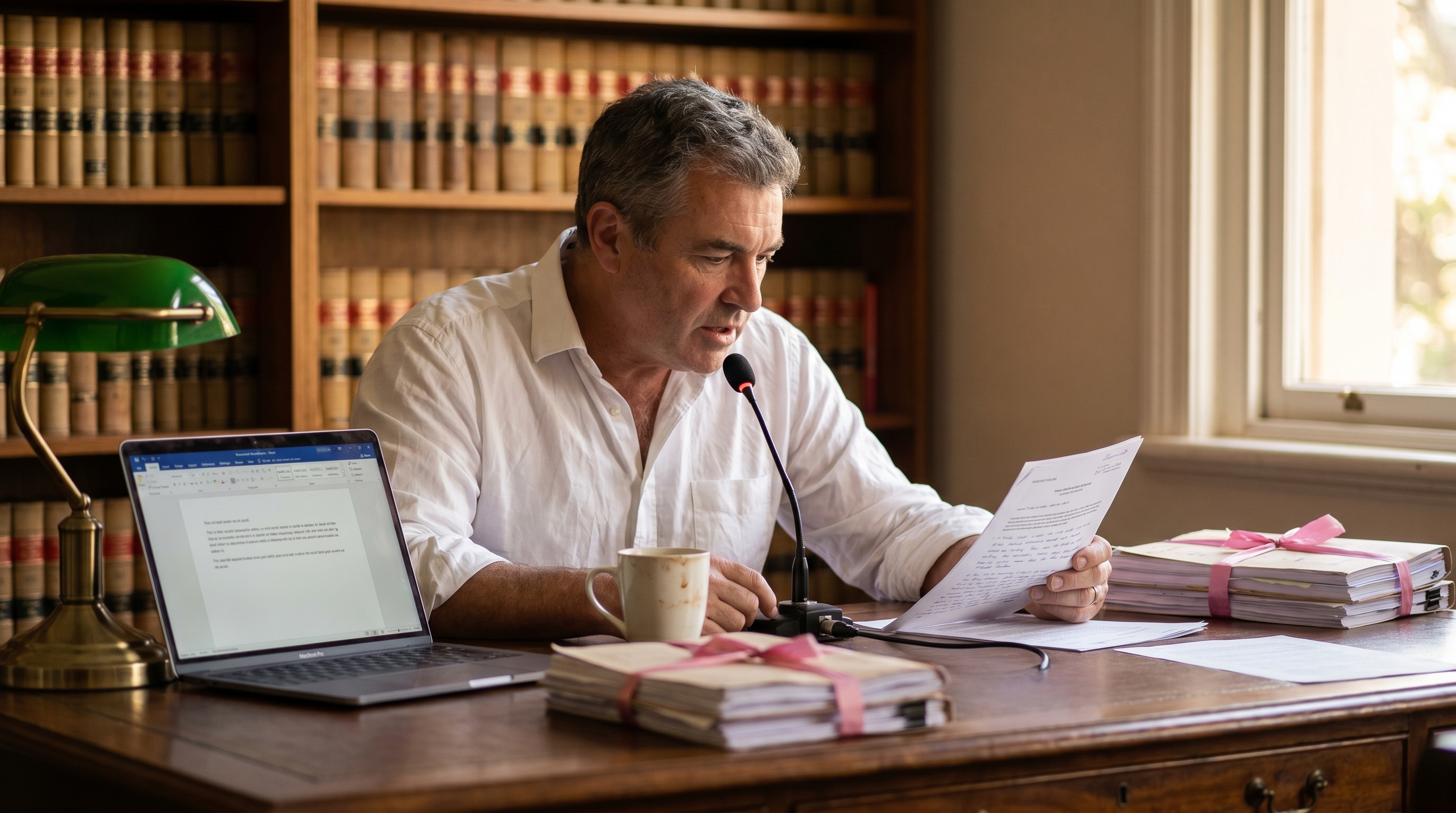
Patterns that work for long-form legal writing:
Contract drafting is a documentation profile that benefits substantially from dictation, particularly when working from precedent. A junior solicitor producing a first draft of a commercial contract is typing roughly 60% precedent and 40% bespoke clauses. The precedent layer can be inserted as templates with voice commands; the bespoke clauses are what need the lawyer's attention, and dictating them is faster than typing them.

Workflows that work:
Contemporaneous file notes are the writing every lawyer knows they should produce and many do not, because the activation energy of typing it up is just high enough to push the task to "later" — at which point the detail has faded and the note ends up less useful and less defensible. This is the workflow where the mobile app earns its place in legal practice.

Two distinct mobile workflows that compound across a practising year:
For sole practitioners and junior solicitors who are routinely on the move between court, client conferences, and the office, the contemporaneous-record discipline that Voice Notes mode makes easy is — in our customers' words — its own quiet form of risk management.
The volume work of legal practice — the client letters explaining matters in plain English, the matter correspondence with the other side, the email exchanges with counsel and experts, the regular updates clients expect — is a big part of how a lawyer's day is actually spent.

Workflows that work:
Speech recognition, AI legal drafting tools, transcription services, and AI research tools are different categories of product. The market discusses them as if they were interchangeable, and the resulting confusion costs legal practices money on the wrong tool. Worth being explicit about what Speech Recognition Cloud Professional does not do.
No. AI legal drafting tools generate legal content from prompts — you describe what you want, the AI produces a draft. Speech Recognition Cloud is verbatim dictation — you speak the document, the words appear. The categories complement each other rather than competing: AI drafting is useful for first-pass research and early drafting, voice dictation is useful for the substantive lawyer-authored writing that follows. Several firms in our customer base use both.
No. Meeting transcription tools join video calls or accept audio recordings and produce a transcript. Speech Recognition Cloud is different: it transcribes your live speech into the application you are currently working in. It does not record meetings, transcribe pre-recorded files, or transcribe the speech of other people. For after-the-fact transcription of recorded conferences or examinations, you want a separate transcription service.
No. The default is verbatim — what you speak is exactly what appears. The optional AI Modes on the Professional plan (Rewrite, Summarise, Reply, Run Command) can rewrite text you have already dictated, but only when you explicitly trigger them on a specific passage. They do not run automatically and they cannot generate substantive content out of nothing. The lawyer authors the content; the software types what the lawyer says, and optionally tightens passages on request.
Speech Recognition Cloud is not certified or formally assessed against any specific bar regulator's confidentiality framework — and we would be cautious about any cloud product that claims it is, because confidentiality compliance turns on the firm's overall information-handling practices rather than on a software vendor's badge. What we can say is what the software actually does with audio and transcripts: audio is processed in memory and immediately erased, transcripts are delivered to your own cursor and never copied to our servers, custom vocabulary stays on your device, only an encrypted email address is stored on our infrastructure. Each firm should make its own assessment of how those data flows fit its client confidentiality obligations under the applicable professional rules in its jurisdiction.
No — and it would be misleading to suggest otherwise. Speech Recognition Cloud is a productivity tool. It will make lawyers faster at producing the quality of writing they already produce. The AI Modes on the Professional plan can tighten a passage on demand, but they are not a substitute for legal judgement, citation-checking, or supervised review. Quality still comes from the lawyer; speed comes from the tool.
Three questions worth working through with the firm's principal, IT lead, or risk and compliance partner before deploying Speech Recognition Cloud across a legal practice: what data leaves the workstation, what is stored anywhere, and how the firm will handle dictation in shared or open spaces.
The data-protection and professional-conduct frameworks that govern legal dictation vary by jurisdiction and practice area. The three most relevant for our visitors are covered below. Each firm should make its own determination about how Speech Recognition Cloud fits its local professional rules, information-governance, and risk frameworks.
REGIONAL CONTEXT — AUSTRALIA
That is a determination each firm or barrister should make under the professional conduct rules of the relevant jurisdiction — the Legal Profession Uniform Law and the Australian Solicitors' Conduct Rules in New South Wales, Victoria, and Western Australia; the equivalent state-based conduct rules in Queensland, South Australia, Tasmania, the ACT, and the Northern Territory; and the relevant bar association rules for barristers. The product is designed in a way that simplifies the analysis: no client content is stored on our infrastructure, only an encrypted email address. Audio is processed in memory and immediately erased; transcripts are not retained on our servers; custom vocabulary stays on the lawyer's own device.
Australian practice management and document management systems. The cursor-based approach works inside Microsoft Word and Microsoft 365; the major Australian PMS platforms (LEAP, Actionstep, Smokeball, Practice Evolve, Open Practice, FilePro); the international PMS systems used in Australian practice (Clio, MyCase, PracticePanther); document management systems (NetDocuments, iManage, SharePoint document libraries); and the major Australian legal research databases in a browser (Westlaw AU, LexisNexis AU, AustLII, Practical Law). No per-system certification, no plugin, no configuration.
Australian Privacy Principles and client information. Most law firms are APP entities under the Privacy Act 1988 once they reach the small-business turnover threshold or by virtue of their work (for example, where they handle health information). The relevant material to provide your principal or risk partner is our privacy and data-handling statement, which sets out that we store no client content of any kind beyond the lawyer's encrypted email address. For firms subject to the Notifiable Data Breaches scheme, that materially simplifies the breach-response analysis for this tool.
Court documents and electronic filing. Dictation does not change what court documents must contain or how they must be filed; that is set by the court rules, practice notes, and the relevant electronic filing portals. What changes is the time it takes to produce the document. Some practitioners use Voice Notes mode to dictate the substantive content of submissions and affidavits while the brief is fresh and edit at the firm afterwards; others draft directly in Word at the desktop. Both work.
Costs agreements and client correspondence. Costs agreement updates, scope-of-work letters, and the standard client correspondence required under the relevant uniform-law or state-based costs rules are heavily prose and well-suited to dictation plus templates. The 30-day trial is the standard way to evaluate fit on the real correspondence load.
For broader voice-technology procurement in Australian legal practice — including firm-wide rollouts, Dragon Legal licensing for practices that specifically require that product, on-site training, and integration with established PMS environments — our parent business, Voice Recognition Australia, has been supplying Australian legal practice for over 25 years.
REGIONAL CONTEXT — UNITED STATES
That is a determination each US lawyer or firm should make under ABA Model Rule 1.6, the relevant state's version of the rule, and the applicable state bar ethics opinions on lawyers' use of cloud services. ABA Formal Opinion 477R and the state ethics opinions that have followed it generally hold that lawyers may use cloud-based services consistent with Rule 1.6 provided they make reasonable efforts to prevent unauthorised access to client information — which usually turns on the cloud vendor's data-handling practices and the lawyer's diligence in selecting and supervising the vendor. Speech Recognition Cloud's data-handling makes that diligence assessment straightforward: audio is processed in memory and immediately erased, transcripts are never stored on our servers, custom vocabulary stays on the lawyer's device, only an encrypted email address is stored on our infrastructure, and all connections are encrypted in transit. We do not have access to any client content because there is no client content to access.
US legal applications. The cursor-based approach works inside Microsoft Word and Microsoft 365; the major US practice management platforms (Clio, MyCase, PracticePanther, Filevine, Smokeball, CosmoLex); document management systems (NetDocuments, iManage, Worldox, SharePoint); legal research platforms (Westlaw, Lexis, Bloomberg Law, Fastcase, Casetext) in a browser; and the standard Microsoft 365 surfaces used for matter correspondence. No per-system certification, no plugin, no configuration.
State-specific ethics opinions on cloud services. Most state bars have issued ethics opinions on lawyers' use of cloud-based services — generally permissive, generally turning on the lawyer's diligence in selecting a vendor with appropriate data-handling practices. US lawyers should review our privacy statement against their state bar's specific opinion before deploying. The fact that we do not store client content materially simplifies the analysis.
Confidentiality, work product, and privilege. Verbatim dictation does not create the same provenance concerns as AI-generated content, which is one of the reasons lawyers in privilege-sensitive practice areas (criminal defence, family law, securities) have moved towards dictation tools and away from AI scribes and AI drafting tools for sensitive matters. The dictated text is the lawyer's own words; the software just types what the lawyer says.
REGIONAL CONTEXT — UNITED KINGDOM AND EUROPE
That is a determination each firm or chambers should make under the SRA Standards and Regulations (for solicitors in England and Wales), the BSB Handbook (for barristers in England and Wales), the equivalent professional rules of the Law Societies of Scotland and Northern Ireland, the relevant Bar Standards Board frameworks in Northern Ireland and Scotland, and the law society rules of each EU member state for EU-based lawyers. UK GDPR and EU GDPR apply on top of those professional rules — and the question for any cloud service used in legal practice is generally the same: what personal data flows where, who can access it, and what is stored. Speech Recognition Cloud's data flows simplify that conversation considerably: audio is processed in memory and immediately erased, transcripts are delivered to the lawyer's own cursor and never copied to our servers, custom vocabulary stays on the device, only an encrypted email address is stored. We do not have access to client content because none is stored.
UK and EU legal applications. The cursor-based approach works inside Microsoft Word and Microsoft 365 (used across UK and EU legal practice); the major UK and EU practice management systems (LEAP, Actionstep, Clio, Quill, ALB Legal, Osprey Approach, Hoowla, Tikit, Insight Legal); document management systems (NetDocuments, iManage, SharePoint); and legal research databases (Westlaw UK, LexisNexis UK, Practical Law, vLex, Lawtel, Eur-Lex) in browser interfaces. No per-system certification.
SRA, BSB, and confidentiality. The SRA Standards and Regulations require solicitors to keep client affairs confidential, and the BSB Handbook imposes equivalent obligations on barristers. Both frameworks recognise that confidentiality must be managed in the context of modern technology, including cloud services. The SRA has issued guidance on cloud-based services that generally turns on the firm's due diligence in selecting and supervising the provider. The fact that Speech Recognition Cloud stores no client content materially supports that due diligence.
Cross-border data flows. UK firms transferring data outside the UK, and EU firms transferring outside the EEA, need to consider the relevant adequacy frameworks (the UK-US Data Bridge, the EU-US Data Privacy Framework, and the SCCs where applicable). The simplification that helps here: there is no client content to transfer. The cross-border data inventory for Speech Recognition Cloud is essentially the lawyer's encrypted email address.
Languages. The Professional tier supports 57 languages, which is useful for UK and EU lawyers practising across multiple language markets and for the EU member states whose practice happens in languages other than English.
Four steps, about ten minutes from install to first document: install Speech Recognition Cloud (use the form on this page for the free 30-day Professional trial), set up a microphone, open the application you do the bulk of your writing in, and dictate in plain language. Punctuation and capitalisation are automatic. The detailed walkthrough is below.
Fill out the form on this page to get the 30-day Professional trial. Install on a Windows 10 or Windows 11 computer. Plug in a USB headset, or install the mobile app on your iPhone or Android — the app turns your phone into a wireless microphone, which is useful in open-plan firm environments and essential for court attendance notes on the move. Allow microphone access when Windows prompts. No voice training, no enrolment, no calibration.
Open the application you do the bulk of your writing in — Microsoft Word for substantive drafting, your DMS (NetDocuments, iManage, SharePoint) for matter-filed documents, your practice management system (LEAP, Actionstep, Smokeball, Clio) for file notes and matter correspondence, Outlook for email. Click into the document, file note, or message body. Speech Recognition Cloud dictates directly at the cursor — no separate dictation window, no copy-paste step.
Start dictation. Speak as you would explain the matter to a colleague — for example, for a file note: 'Conference with the client this afternoon. The client confirmed instructions to settle on the terms discussed last week. The client raised a new concern regarding the timing of the consent orders, which I addressed. Action: prepare draft consent orders and circulate to counsel by close of business Friday.' Punctuation and capitalisation are automatic. Standard openings, closings, and clauses inserted from saved templates with short voice commands.
Read what you dictated. Edit by voice or keyboard for any case names, client names, or technical legal terms the system did not catch — add them to your personal vocabulary as you go so they transcribe correctly thereafter. Save the document to the matter, file the file note, or send the email. Most lawyers describe the first few items as awkward and the workflow becoming natural within a single half-day.
If after a half-day of use it still feels slower than typing, dictation may not suit your style — and that is a useful thing to discover during a 30-day trial rather than three months in. For more setup help, see the getting-started walkthrough.
Five tips that compound across a practising year: build a personal vocabulary in the first week, save your firm's standard clauses and openings as templates, draft first and polish later, use the mobile app for court attendance notes on the move, and read every document back before saving it to the matter. The last one is the discipline that separates lawyers who use dictation well from lawyers who get into trouble with it.
Your firm's name, partners' and colleagues' names, the chambers and barristers you brief most often, your major clients' company names, opposing parties and their solicitors, the legislation references in your practice area, the case names you cite most regularly, and the small handful of legal terms the base vocabulary does not catch first time — add each to your personal vocabulary as you go. Personal vocabulary stays on your own device — never sent to or stored on our servers. Lawyers with a strong vocabulary culture get noticeably cleaner output across the year.
The standard opening of a letter of advice, your firm's standard closing, the boilerplate definitions clause in your commercial precedent, the standard governing-law and dispute-resolution wording, the firm's standard undertakings, the formula for your costs agreements — save each as a named template you trigger with a short voice command. Templates and text replacements come with the Professional plan and are usually the feature that delivers the largest single productivity gain after the first week.
Do not try to dictate a perfect first sentence of an advice or contract. Dictate the rough version of the whole document in one pass. Then read it back and tighten. Trying to dictate polished legal prose in real time slows almost everyone down, and the cool-off-and-revise pattern is exactly when citation-checking, reasoning-verification, and voice-calibration happen anyway.
The single biggest discipline-recovery dictation offers in legal practice is producing contemporaneous file notes while the matter is fresh, rather than three days later when the detail has faded. Voice Notes mode on the mobile app lets you dictate the attendance note on the courthouse steps, in the car back to the office, or in the foyer after a conference. The file note is waiting on your screen at the firm when you return. The compounding effect across a practising year on both billing accuracy and risk management is significant.
This is the discipline that separates lawyers who use dictation well from lawyers who get into trouble with it. Read the document back on screen before saving it to the matter or sending it to a client — the same way you would read a typed document. The reading-back step is fast (seconds for a file note, a few minutes for an advice) and it catches the small transcription errors that occasionally carry weight in legal writing: a number that came through wrong, a client name that swapped, a "no" transcribed as "now," a case citation that picked up a stray word. The system is accurate; the lawyer is responsible for what gets saved.
Every feature designed around real legal workflows — at the desk, in chambers, and on the move between courts and clients.
The default behaviour is verbatim dictation: you speak, the words appear at the cursor, exactly as you said them. No AI rewriting in the data path unless you specifically ask for it. That matters for legal writing where provenance, voice, and exactness of language matter. The lawyer authors the content; the software just types what the lawyer says.
No audio. No transcripts. No custom vocabulary. No voice profiles. No dictation history. No client content of any kind. The only thing we store anywhere is the lawyer's email address, and it is encrypted. Audio is processed in memory and immediately erased. Transcripts go to your cursor and are never copied to our servers. Personal vocabulary stays on the lawyer's own device.
Microsoft Word, Outlook, NetDocuments, iManage, SharePoint, LEAP, Actionstep, Smokeball, Clio, MyCase, PracticePanther, Westlaw, LexisNexis, AustLII, Practical Law, court filing portals — text appears exactly where the cursor is. No separate dictation window, no copy-paste step, no plugin to install per application.
A mobile app for iPhone and Android turns the lawyer's smartphone into a wireless microphone for Speech Recognition Cloud on the PC. Hold your phone, dictate, and the text appears in whichever Windows application has the cursor on your computer. Useful in open-plan firm environments, hot-desking setups, and anywhere a desk-mounted microphone is impractical.
Dictate completely away from your computer — on the courthouse steps, in the car back to the office, in the foyer after a conference. The transcription is created on your phone and automatically delivered to your open Speech Recognition Cloud session back at the firm. The file note is waiting on your screen when you return. The contemporaneous-record discipline made easy.
Save the standard opening of a letter of advice, the firm's standard closing, the boilerplate definitions clause from your commercial precedent, the standard undertakings, the costs agreement framing — and trigger any of them with a short voice command. The Professional plan includes Templates and Text Replacements. This is usually the feature that delivers the largest productivity gain after the first week of use.
The Professional plan includes AI Modes (Write, Rewrite, Answer, Reply, Run Command) that can tighten a long advice paragraph, formalise a casually-drafted email, or summarise notes into a brief — but only when you trigger them on a passage you have already dictated. If you never use them, the product is straight verbatim dictation. The lawyer decides, passage by passage, whether AI is in the loop.
A Speech Recognition Cloud Professional licence is per person and can be used on as many computers as that lawyer works on — chambers desktop, home laptop, courthouse workstation, all on the same licence at no extra cost. The only rule: licences are per person, not shared between lawyers, because the personal vocabulary, templates, and preferences are tied to the individual account.
See Speech Recognition Cloud Professional in action drafting a real legal document.
No audio. No transcripts. No vocabulary. No voice profiles. No dictation history. No client content of any kind. The only thing we store anywhere is the lawyer's email address — encrypted. Audio is processed in memory and immediately erased. All connections encrypted. AI Modes are on-demand only, never automatic.
Read our privacy policy →It is built for lawyers and legal professionals who write a lot — solicitors at firms of any size, barristers in chambers, in-house counsel, government lawyers, legal aid practitioners, paralegals and law clerks doing substantive drafting, and the legal secretaries and PAs who produce the firm's documents. The common thread is volume of prose: advice letters, opinions, contracts, file notes, correspondence, court documents. If you spend more than an hour a day at a keyboard producing legal prose, dictation usually pays for itself within the first month.
Yes. Speech Recognition Cloud dictates at the cursor in any Windows application — Microsoft Word, Outlook, and the rest of the Microsoft 365 stack; document management systems (NetDocuments, iManage, SharePoint, Worldox) in their browser or desktop interfaces; the major Australian and international practice management platforms (LEAP, Actionstep, Smokeball, Practice Evolve, Open Practice, Clio, MyCase, PracticePanther, Filevine); legal research platforms (Westlaw, LexisNexis, Practical Law) in a browser; matter and time-billing applications; and any other Windows application you can click into and type into. No per-system certification, no plugin to install, no per-application configuration.
The product is designed so that nothing about your matters is retained on our infrastructure. Audio is processed in memory only and immediately erased — never written to disk on our servers, never retained, never accessible to our staff. Transcribed text is delivered to the cursor on your own computer; we do not retain a copy. Custom vocabulary stays on your own device. The only thing we store anywhere is the user's email address, and it is encrypted. There is no client content of any kind on our servers because there is nothing for us to store. Each firm should still make its own assessment of how the data flow fits its client confidentiality obligations under the applicable professional rules in its jurisdiction.
It can if you choose to use it, and only on demand. The default behaviour is verbatim — you speak, the exact words you spoke appear at the cursor. The Professional plan also includes optional AI Modes (Write, Rewrite, Answer, Reply, Run Command) that can rewrite, formalise, or summarise a passage of text you have already dictated — but only when you trigger them. The AI Modes are tools, not automatic processes. Most lawyers in our customer base use them sparingly: occasionally to tighten a long client letter or formalise a casually-drafted email, rarely on substantive legal content. You decide, passage by passage, whether AI is in the loop. If you never use the AI features, the product is straight verbatim dictation.
They are different categories of product. AI legal drafting tools generate legal content from prompts — they write a draft from your instructions. Speech Recognition Cloud is verbatim dictation: you speak the document, the words appear. The AI assistants are useful for research, first-pass drafting, and summarising material; Speech Recognition Cloud is useful for the actual production work of writing what you, as the lawyer, want on the page. Most firms that use both treat them as complementary: AI research and first-pass drafting for the early stages, voice dictation for the substantive lawyer-authored writing that follows.
This is one of the strongest use cases. The mobile app's Voice Notes mode lets you dictate a court attendance note or file note completely away from your laptop — outside the courtroom, on the courthouse steps, in the car back to the office, in a coffee shop between matters. The transcription is created on your phone and automatically delivered to your open Speech Recognition Cloud session back at the office or in chambers. When you return to your computer, the file note is already waiting on your screen — written while the conference or hearing was fresh in your mind rather than three days later when the detail has faded.
The base vocabulary covers general legal terminology comfortably. For the things every practice does differently — your firm's standard clause names, the case names you cite most often, the legislation references in your area of practice, your clients' company names, your opposing parties, the chamber names of frequent counsel — you build a personal vocabulary as you go. Add a term once and it transcribes correctly from then on. Most lawyers have a reasonable personal vocabulary set up by the end of their first fortnight. Latin phrases used in legal practice (prima facie, mens rea, res judicata, and the rest) are in the base vocabulary.
No. Speech Recognition Cloud is licensed per person — each barrister or solicitor needs their own licence because the personal vocabulary, templates, and preferences are tied to the individual account. The licence can be used on as many computers as that individual works on — chambers desktop, home laptop, and a courthouse laptop, all on the same licence at no extra cost. The constraint is one person per licence, not one device per licence. For chambers floors, the practice is usually for each barrister to take a Professional licence directly; chambers staff (clerks, secretaries) can take their own.
30 days of full Professional functionality, free, accessed through the form on this page. No credit card required. After 30 days, the software reverts to the non-business Free tier (20 minutes of dictation per month, general vocabulary) unless you upgrade. There is no automatic charge — your card is not held, nothing renews silently. You either choose to upgrade to Professional or the software stays on the Free tier.
The Speech Recognition Cloud desktop application is Windows 10 and Windows 11 only — Mac support is on our roadmap with no current ETA. Two workarounds for Mac-based lawyers: the mobile app tunnels audio through remote-desktop connections, so a Mac user remoting into a Windows DMS or PMS session can dictate normally; and Voice Notes mode delivers transcribed documents to a shared Windows PC at the firm, which works for ad-hoc dictation from a Mac. It is not a perfect substitute for native Mac support, but it covers the common workflows.
For a private office or chambers, a USB headset gives the cleanest results — anything in the $40 to $120 range works well. For a hot-desking firm, an open-plan junior solicitor's bay, or a small-firm reception area, the mobile app on your own smartphone is often the better answer — directional, always with you, no shared desktop microphone, and the audio is clean even in modest ambient noise. For court attendance notes and file notes captured on the move, the mobile app is the only sensible option.
Indirectly, yes — but it is more accurate to say it reclaims time spent on writing rather than time that is itself billable. Dictation does not change the rules about what is and is not billable; that is set by your costs agreements, the relevant scale, or your firm's billing policy. What changes is the time it takes to produce a given file note, advice letter, or contract — usually around two to three times faster than typing for prose-heavy work. Whether the time saved goes into more billable work, more matters, or simply leaving the office earlier is up to you. Several solo and small-firm lawyers in our customer base specifically credit dictation with making it viable to keep up with file notes contemporaneously, which is its own quiet win for both billing and risk management.
For more setup answers, see the support FAQ.
Verbatim dictation for advice letters, contracts, file notes, and court attendance notes. No credit card. Per-person licence, unlimited computers. Fill out the form above to get started.
Get started free